 B2BROKER
 B2Core
 B2Core IB
 B2CONNECT
 B2BINPAY
 B2BROKER
How to secure your profile using 2FA
Learn how to enable 2FA via app or SMS to protect your profile from unauthorized access
It's strongly recommended that you enable two-factor authentication (2FA) using either a time-based one-time password (TOTP) app, such as Google Authenticator, or SMS codes to enhance your profile’s security and protect it from unauthorized access.
In the B2CORE UI or app, navigate to Profile > Security.
The names of menu items and other UI elements depend on your broker’s configuration and may differ from those shown in this guide.
In the Two-Factor Authentication section, enable one of the options:
- Google Authenticator — to use the Google Authenticator app or another compatible tool to generate time-based verification codes.
- SMS Confirmation — to receive time-sensitive verification codes on your phone number via SMS.
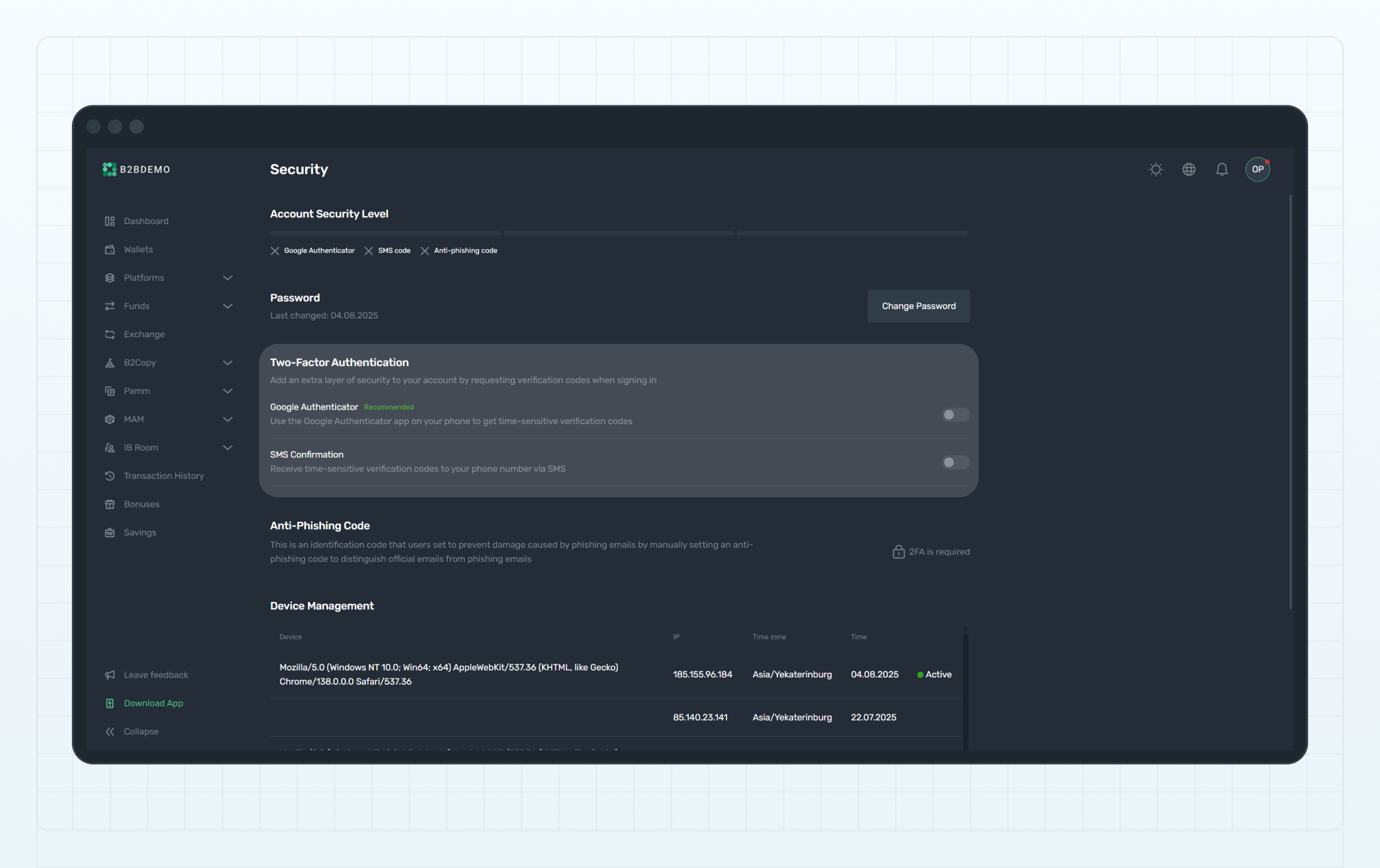
Two-Factor Authentication
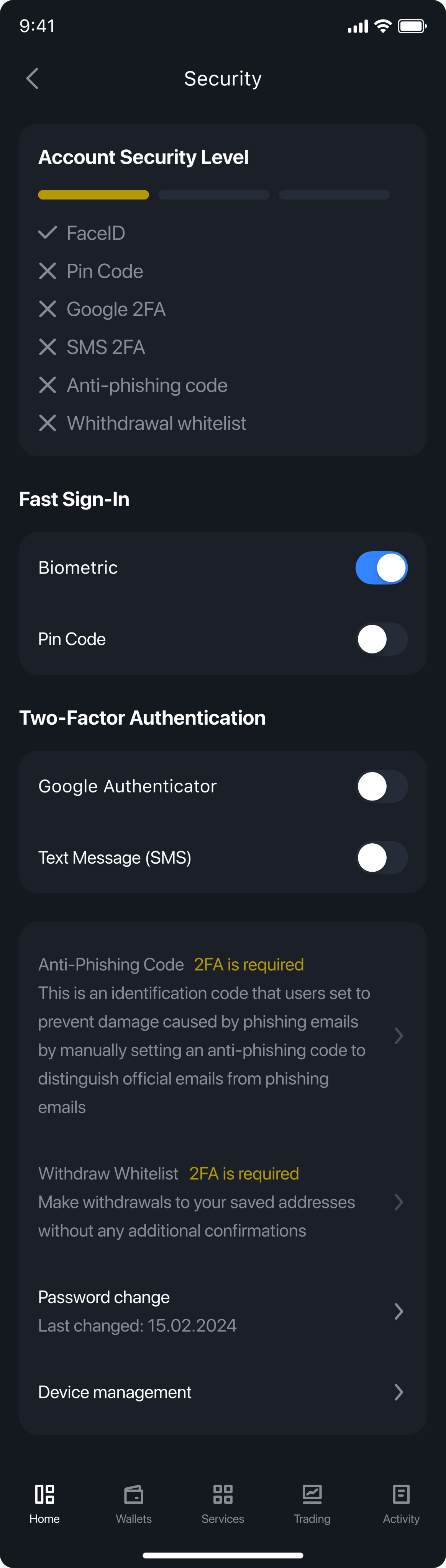
Two-Factor Authentication
Follow the onscreen instructions to complete the 2FA setup and verify that it's working correctly.
Once 2FA is enabled, you’ll be prompted to enter a verification code each time you sign in to your profile after entering your credentials, as well as in other scenarios that require confirmation.
Last updated on