 B2BROKER
 B2Core
 B2Core IB
 B2CONNECT
 B2BINPAY
 B2BROKER
How to get the mobile app
Learn how to download the mobile app for iOS and Android from the Sign In page, Dashboard, or main menu — if supported by your broker
In addition to the B2CORE UI, you can use the mobile app for iOS and Android — if supported by your broker.
To download the mobile app:
- Before signing in to the B2CORE UI: iOS and Android download links are available at the top of the Sign In page.
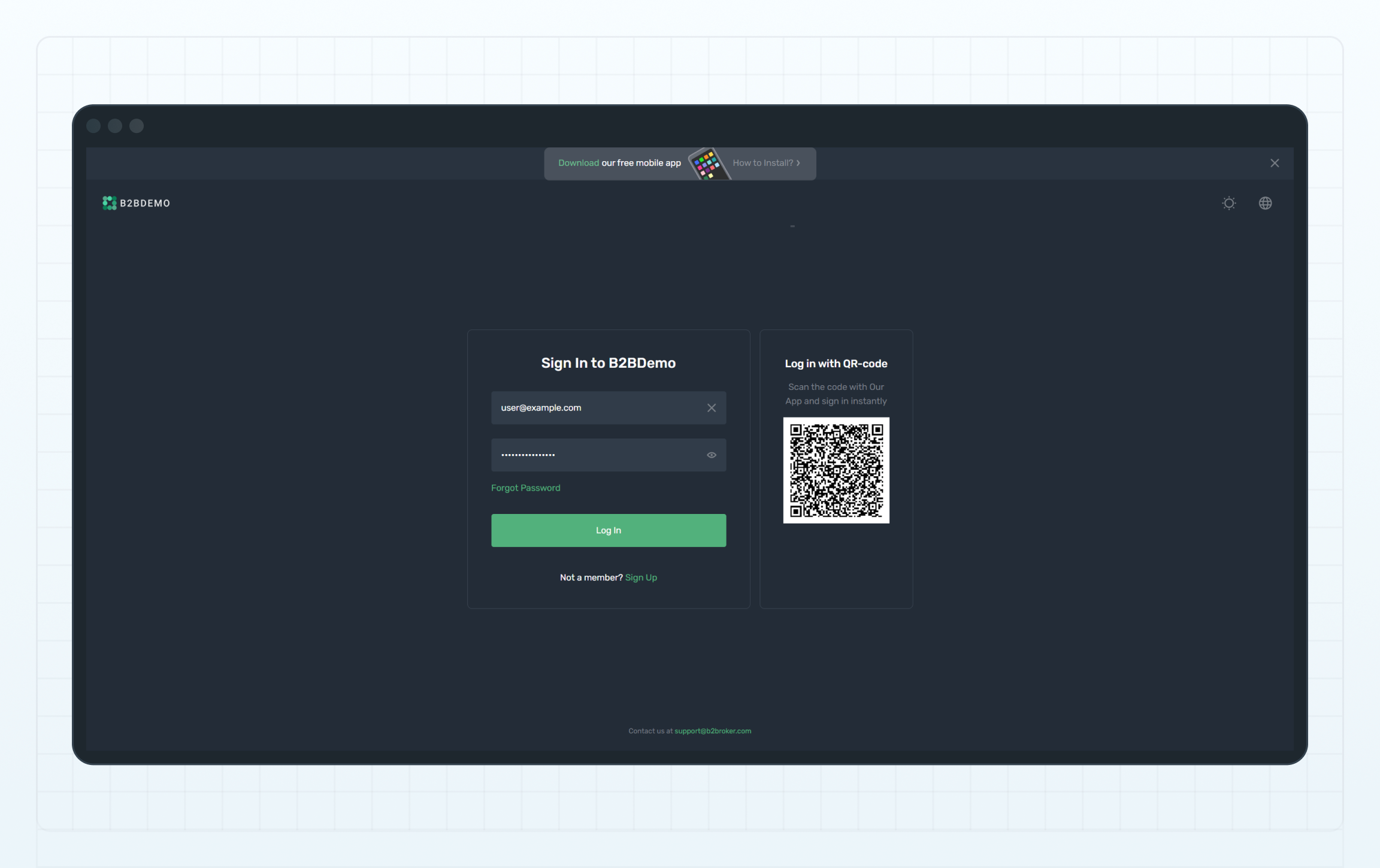
Download the app — on the Sign In page
- After signing in: you can find the download links at the top of the Dashboard or in the main menu.
Clicking a link opens a page with platform-specific instructions and download options.
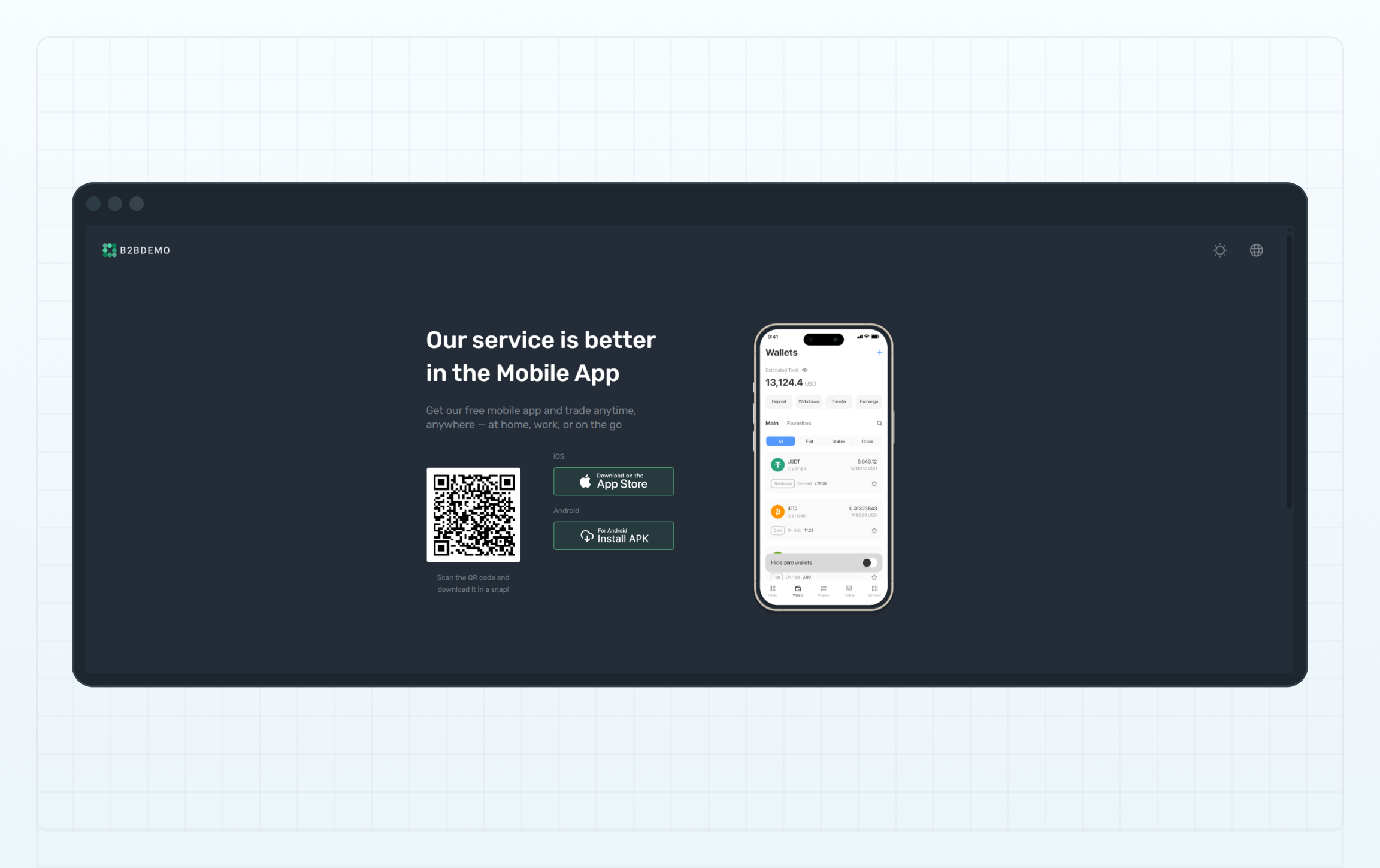
App download options
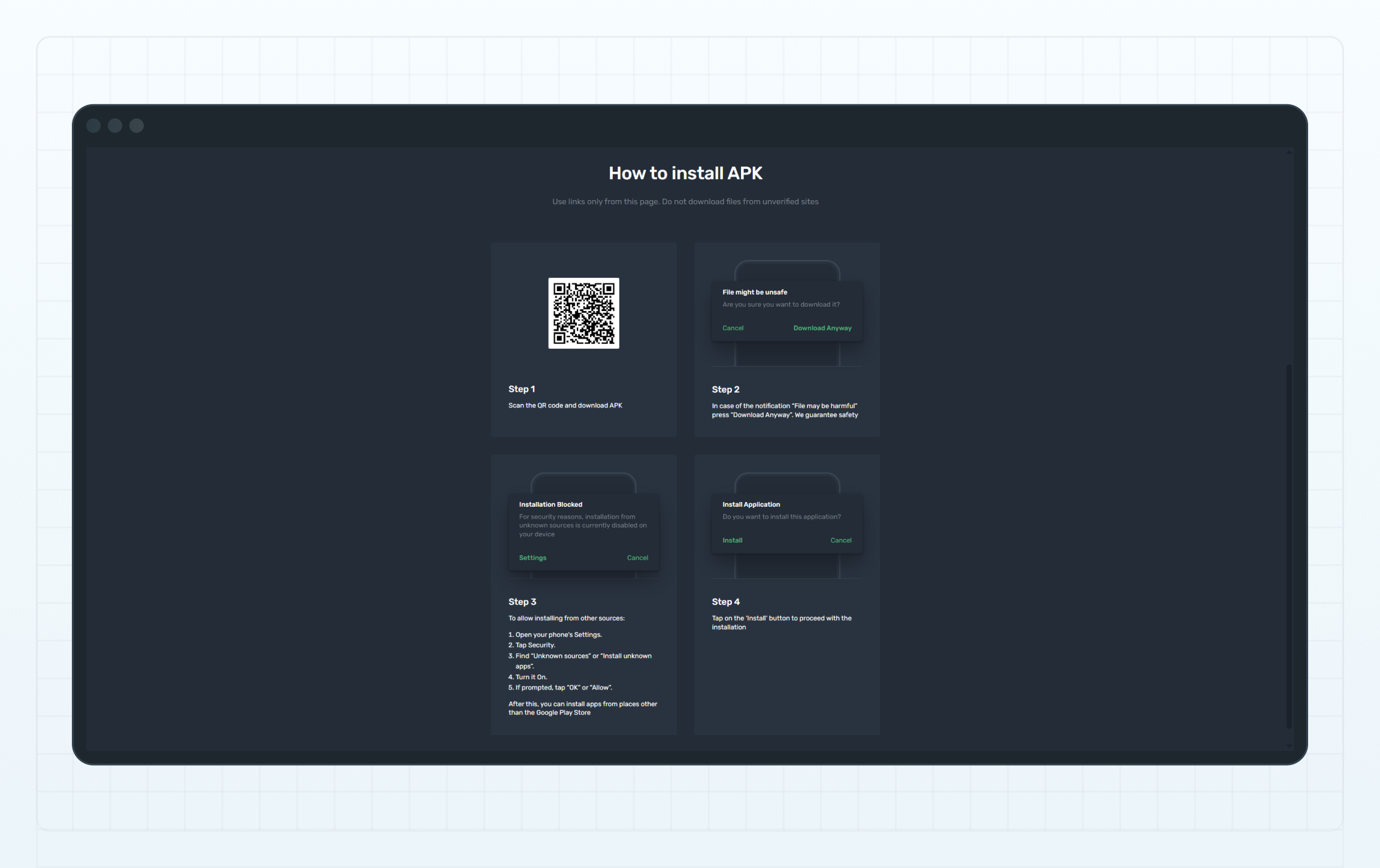
App installation instructions
Last updated on