 B2BROKER
 B2CORE
 B2CORE IB
 B2TRADER
 B2CONNECT
 B2TRANSLATE
 B2BROKER
How pay and receive amounts are calculated in transactions
Learn how B2CORE calculates pay and receive amounts with currency conversions, including rounding rules and currency scales
This article explains how amounts are calculated in the Pay and Receive fields in the B2CORE UI when transactions involve currency conversions.
For such transactions, the resulting amounts depend on the following:
- The rounding rules applied to the amount in the Pay and Receive fields.
- The configured currency scales defining the number of decimal places supported for both the source and target currencies involved in a transaction.
Rounding rules
For the Pay and Receive fields, different rounding rules are applied in B2CORE:
- The Pay field: the amount is always rounded up. This ensures that the broker does not lose profit due to rounding differences.
- The Receive field: the amount is always rounded down according to the scale of the target currency.
Currency scales
All currencies used for transactions in B2CORE have configured scales, which define the number of allowed decimal places. The scale determines the precision of rounding for any transaction involving that currency.
You can configure the scale for each currency by navigating to Currencies > Currencies, opening the currency details, and setting the required value in the Precision field.
For example:
- THB (Thai Baht): scale
0(no decimals) - USD (US Dollar): scale
2(two decimals)
Example
Suppose a client initiates a deposit to a USD wallet and pays in THB (Thai Baht).
-
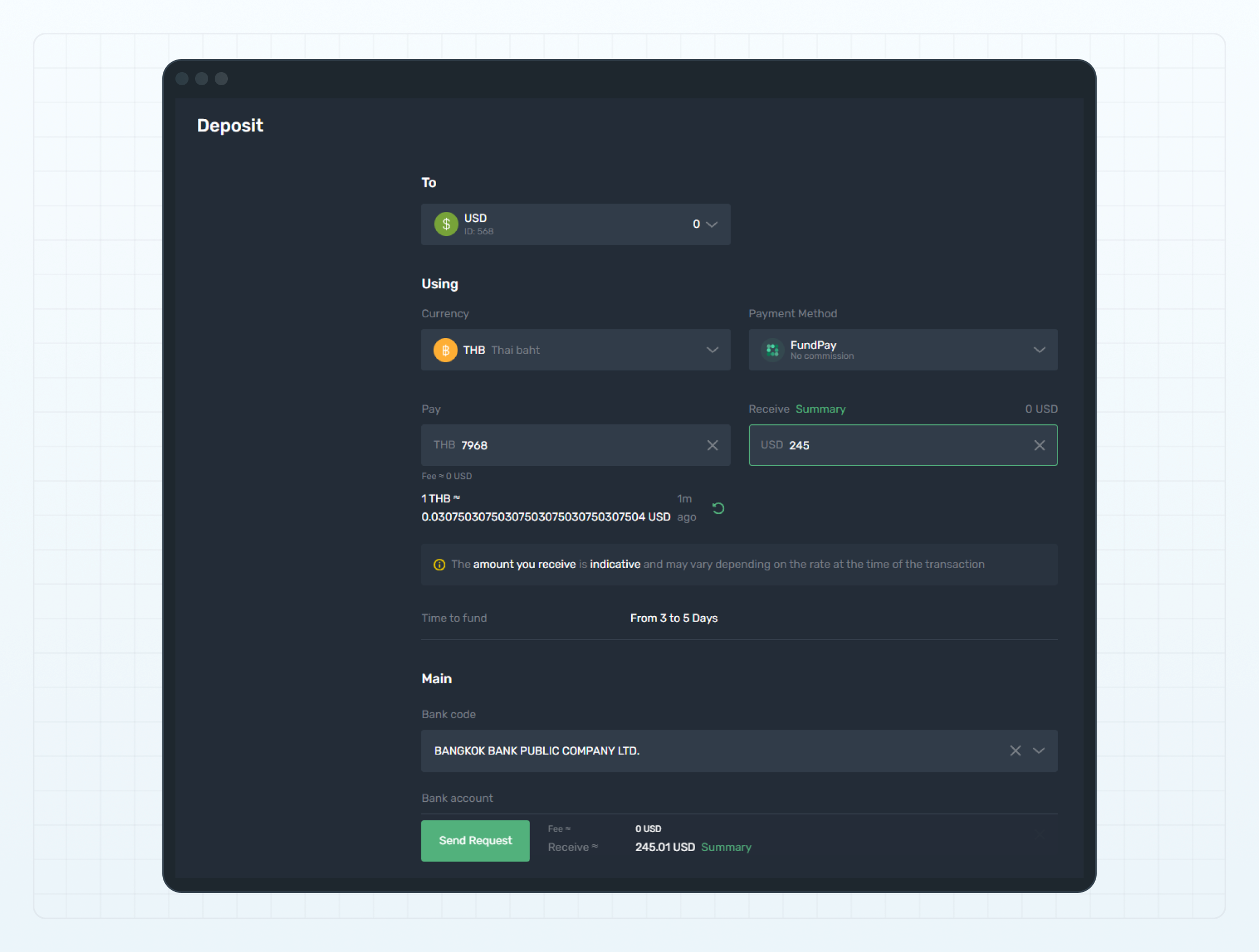
When THB has a scale of
0(no decimals):- Enter 245 USD in the Receive field → the Pay field displays 7,968 THB.
- Enter 7,968 THB in the Pay field → the Receive field displays 245.01 USD.
-
When THB has a scale of
1(one decimal):- Enter 245 USD in the Receive field → the Pay field displays 7,967.4 THB.
- Enter 7,967.4 THB in the Pay field → the Receive field displays 245 USD.
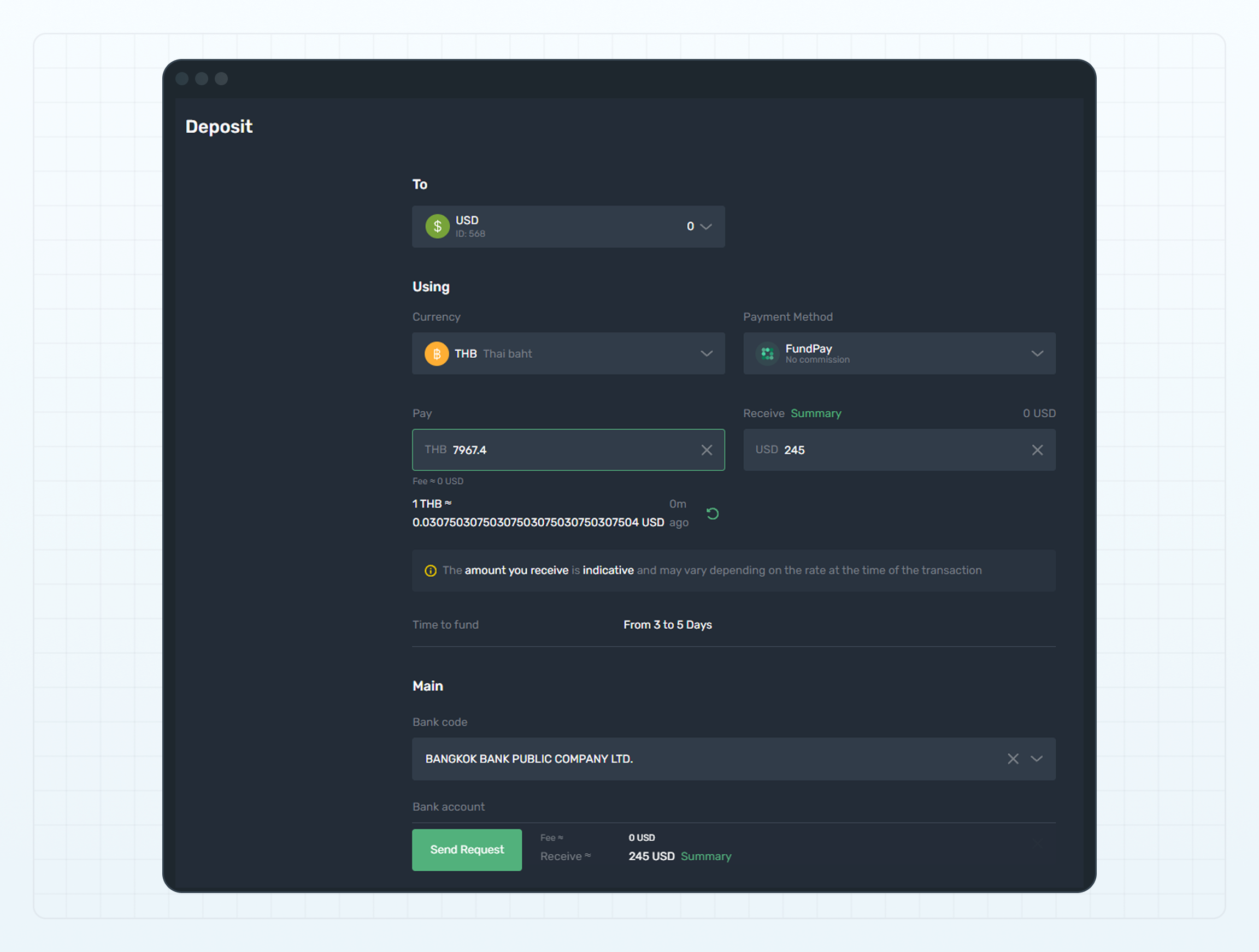
The mismatch occurs because the scale of 0 can't preserve decimal values, while scales of 1 or higher allow fractional amounts, resulting in more precise conversions.
Last updated on